
Using AI to Teach English
In short: AI helps English teachers plan lessons, adapt and create tasks, give quick feedback and personalize learning. At the same time, its answers need checking: the information may be outdated, biased or inaccurate.
Contents:
- What is AI?
- How can AI be used in teaching?
- Challenges and concerns
- Popular AI tools for educators
- A few universal tips for using AI
What is AI?
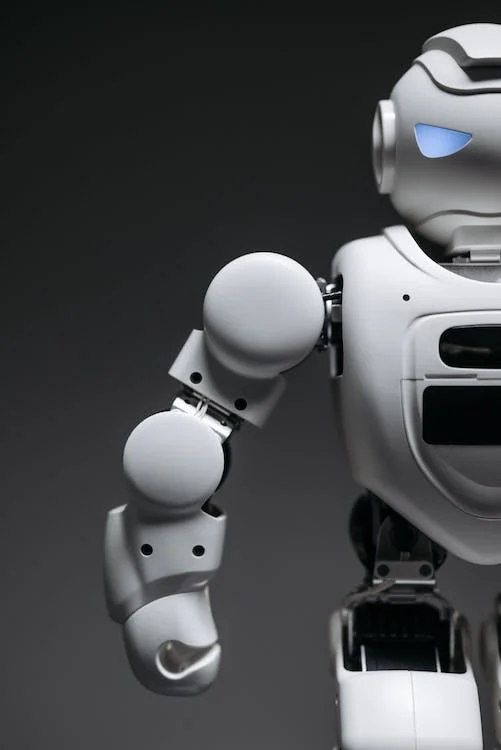
We all remember OpenAI launching ChatGPT in November 2022. It was a global event, and it felt like a scientific breakthrough. However, the concept of artificial intelligence has been around for more than half a century. The term itself is considered to have been coined in the 1950s, after the publication of Alan Turing’s “Computing Machinery and Intelligence” and the work of Arthur Samuel. In 1956, John McCarthy held a workshop on “artificial intelligence”, which became the first official use of the term.
Since then, people working with AI have been interested in creating systems that can imitate human intelligence and problem-solving skills. As early as 2006, companies such as Twitter, Facebook and Netflix started using AI in their advertising and UX algorithms; five years later, Apple released Siri, considered the first popular virtual assistant; and five years after that, Hanson Robotics created Sophia, a humanoid robot that became the first robot with a realistic appearance and the ability to communicate. Finally, in 2020, OpenAI started beta testing GPT-3, a model that could already write code, poetry and other language tasks resembling texts written by people. Since then, AI has found its way into many areas of our lives, including education, significantly affecting the processes of learning and teaching.
How can AI be used in teaching?
According to the UNESCO website, using AI technologies in education can enhance human capabilities and support effective collaboration between people and machines. Many experts believe AI has the potential to address some of the biggest challenges in education today and to bring innovation to teaching and learning practices.
First of all, AI can save time by offering a variety of materials and ideas, as long as the teacher writes a detailed prompt. Of course, not all of them are ready to use, but the system generates ideas for every kind of language practice. Second, it can simplify assessment by creating tests and quizzes and giving students of different levels easy, instant feedback. Finally, English learners get a chance to improve their writing skills outside the classroom by chatting with AI in English, as if they were texting a native speaker.
Here are a few ways to use artificial intelligence in teaching:
- Lesson planning and adapting tasks. AI can help teachers design effective lesson plans. By analyzing students’ progress, learning styles and individual needs, AI can recommend selected content and teaching strategies for the best learning experience. You can also ask the system to simplify tasks or make them harder depending on your students’ level.
- Creating content and generating tasks. AI can create learning materials such as worksheets, quizzes and reading texts for a specific language level and learning goals. It can also generate exercises and questions, which makes preparing classroom activities easier for teachers.
- Personalized learning and feedback. Contrary to the popular belief that machine learning cannot provide a personalized learning experience, AI systems can adapt to each student’s individual needs and give instructions based on their strengths and weaknesses. AI systems can also change the pace and focus to match students’ preferences, offering targeted exercises and feedback.
- A source of information. AI can act as a source of information, giving both students and teachers access to language resources, dictionaries and translation tools. It also lets students explore English on their own and helps teachers save time on providing links and explanations.

Challenges and concerns
Despite all the benefits of using artificial intelligence in the classroom and for lesson preparation, there are serious concerns not only about the ethics of content creation but also about the reliability of the information AI provides.
First, it should be noted that AI chatbots such as ChatGPT cannot always provide up-to-date information because of their limited knowledge base (for example, ChatGPT may not know about current events). That is why it is important to check facts on other trusted websites. AI is also known for its limited creativity. Sometimes task options become repetitive, and even when asked to modify a task, the system does not change the results much. In addition, the information AI provides often ignores cultural context and quite often gives incorrect results. So, as mentioned earlier, teachers still need to edit carefully and adjust some tasks. Finally, error correction does not always work properly. That is why relying on AI completely is not recommended.
So the idea is to find a balance between using AI tools and relying on other sources of information and the teacher’s own knowledge.
Popular AI tools for educators
Modern ESL teaching uses several popular AI tools, including Grammarly (text editing), Tutor AI (explanations), Pictory.AI (a tool for turning text into video, plus video editing, captions and subtitles), Craiyon (image generation) and, of course, ChatGPT.
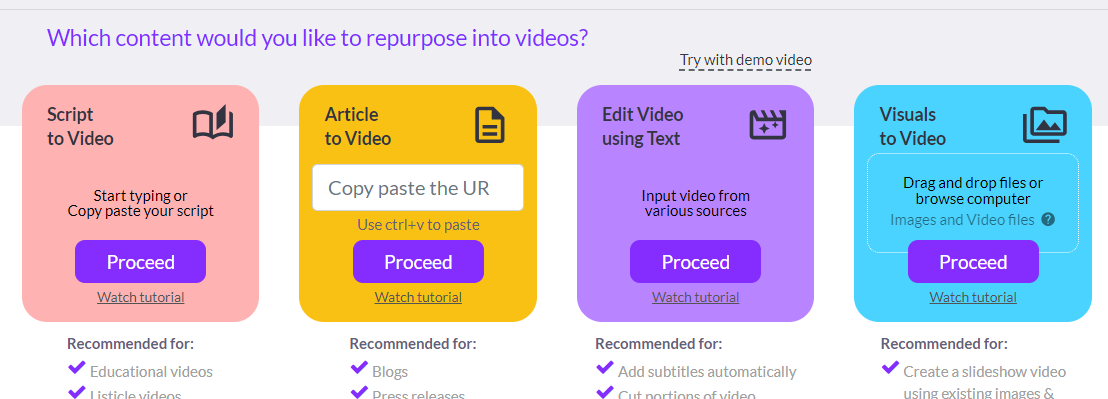
Pictory.AI options
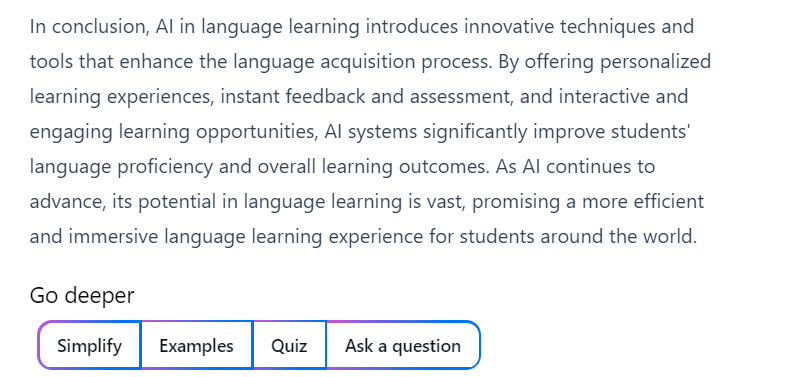
Tutor AI options
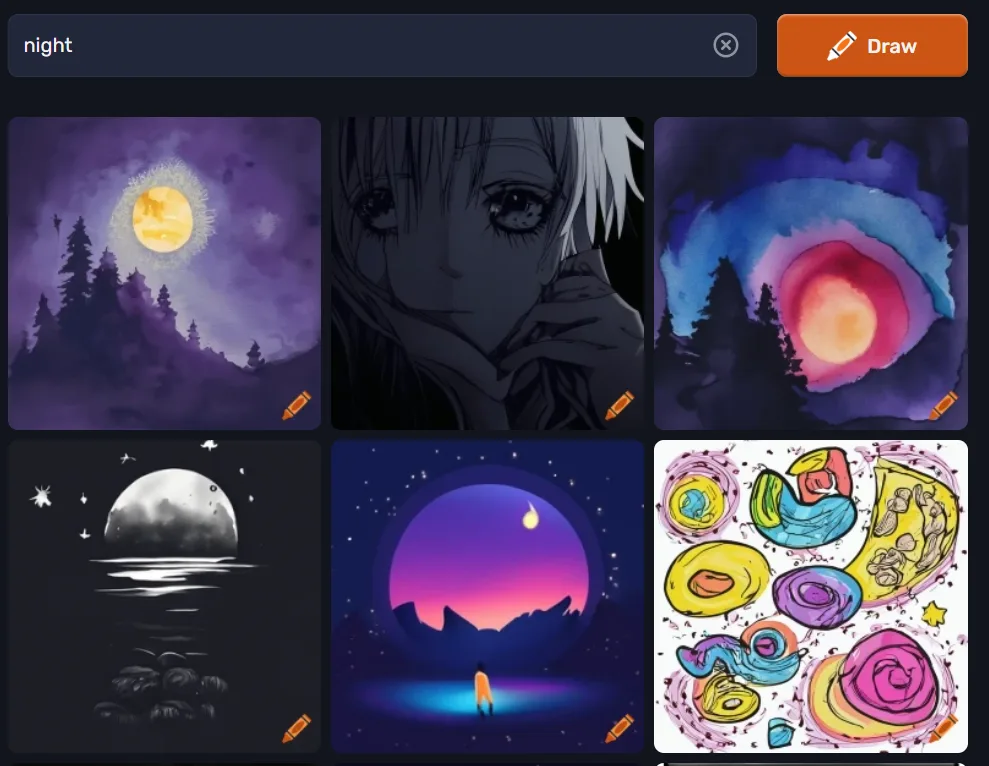
Pictures generated by Craiyon
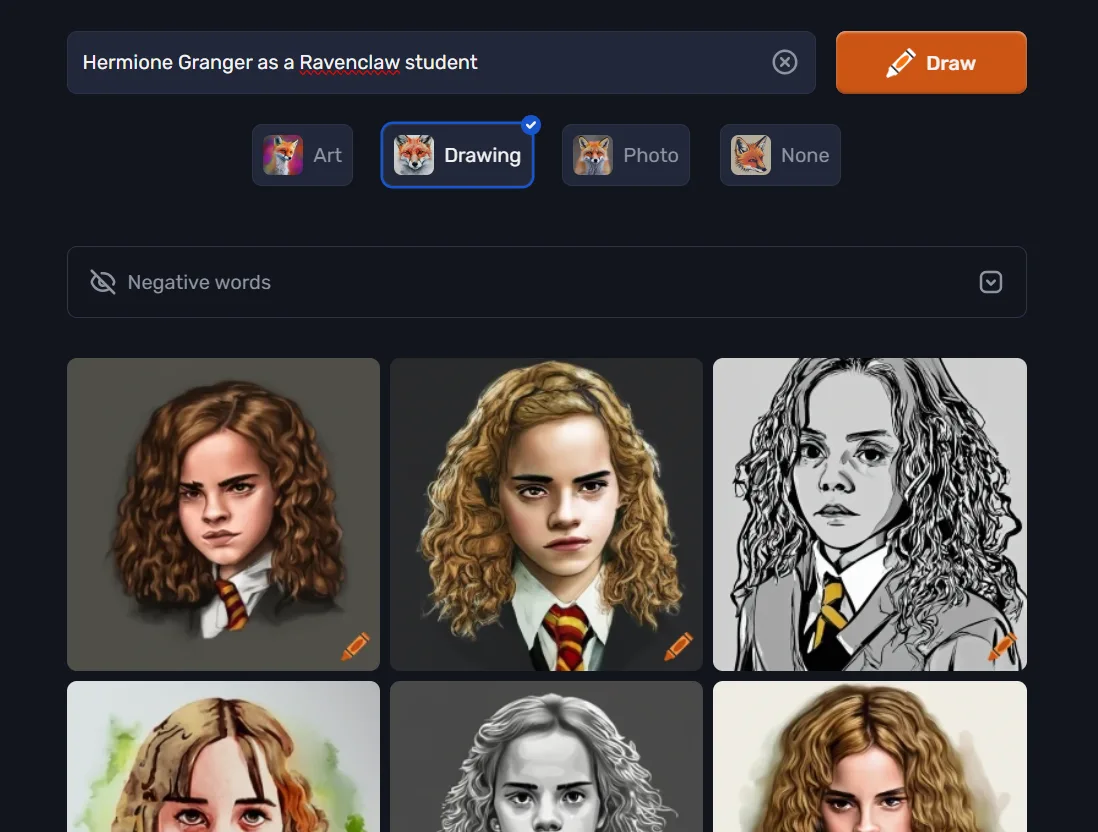

Some more pictures generated by Craiyon. The word choice matters :)
Some possible ways to use ChatGPT:
- adapting a text for different purposes and different levels;
- analyzing texts and creating: a) vocabulary lists; b) questions; c) summaries; d) other text-based activities;
- giving examples and brainstorming ideas (for example, options for lead-ins and warm-up activities);
- writing instructions, ICQs and CCQs (instruction-checking and concept-checking questions);
- checking written work and giving feedback on tasks;
- creating tasks such as: choose the correct option, correct the mistakes, fill in the gaps, open the brackets, paraphrase;
- writing dialogues on specific topics and essays, and generating scripts and stories;
- explaining a structure, word or rule; giving synonyms and antonyms.
Play.HT
When teaching English as a foreign language, it is important to remember pronunciation and listening practice. ChatGPT cannot do this, but Play.HT can. Its voices can convey emotions and cover more than 130 languages, so conversations sound natural and human. It also offers more than 800 male and female voices and a voice cloning option.
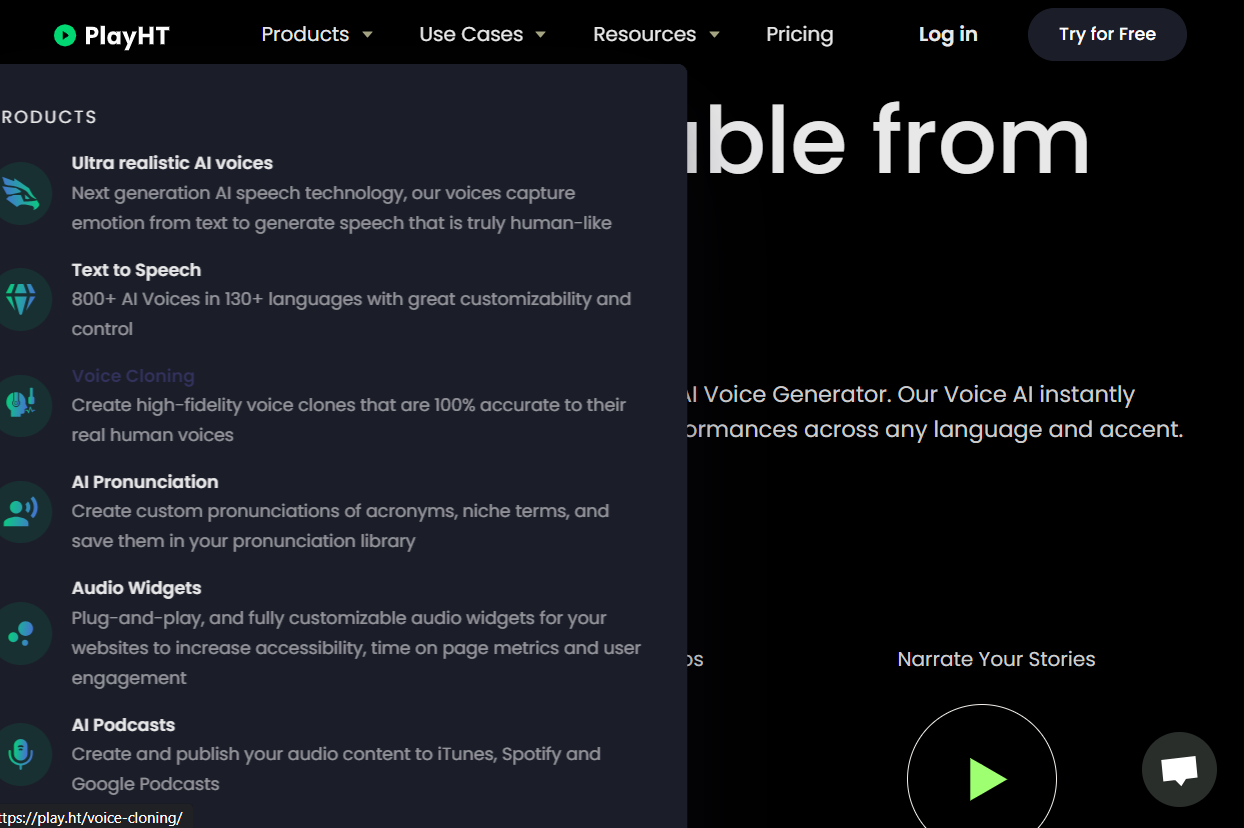

Play.HT options
Twee
Twee is another AI tool that can help teachers. It creates questions, dialogues, stories, letters, articles, multiple-choice questions and true/false statements in just a few seconds. Twee easily generates discussion questions or finds facts and quotes from famous people related to the topic you need.
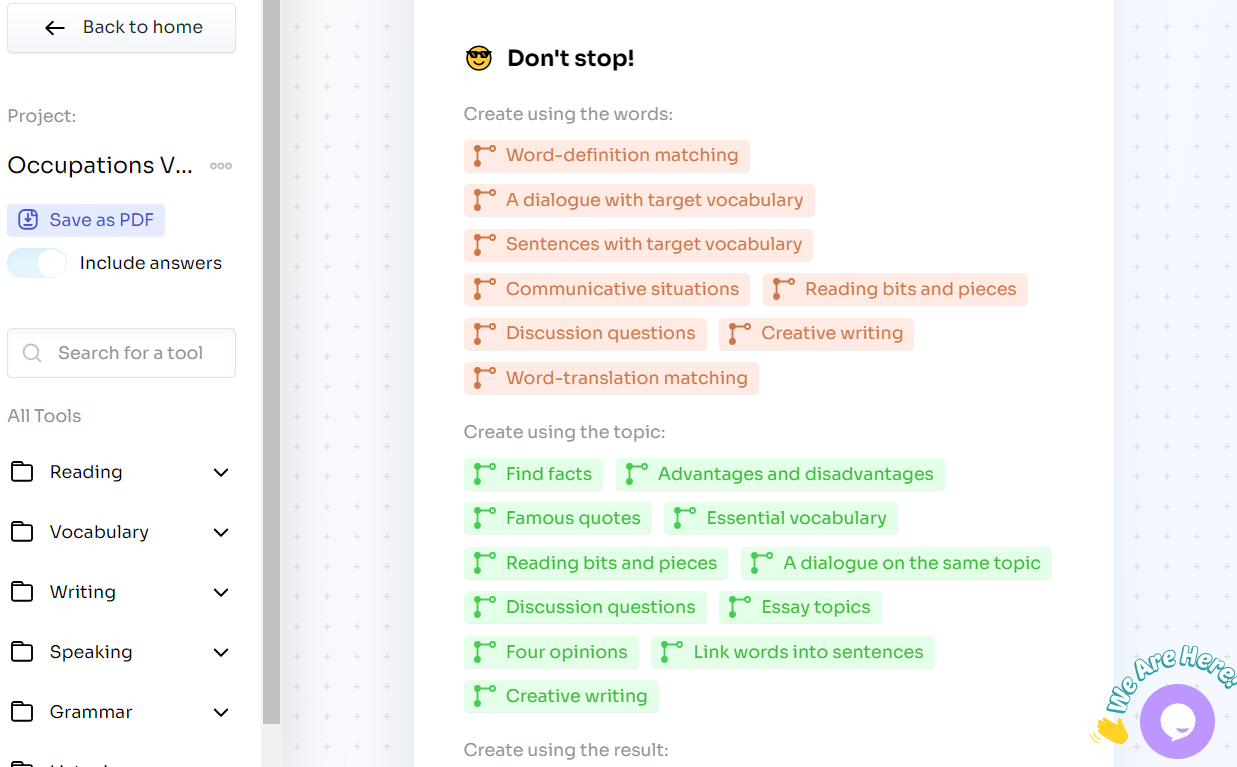
Tome
Besides tools that are 100% built on artificial intelligence, many well-known educational sites now include some AI features (Canva, Google Classroom). However, if you want to create flashcards, slides and presentations more efficiently, try AI-powered sites such as Tome. Here are just a few examples: a presentation, flashcards and GIFs you can use in your lessons right now.
A few universal tips for using AI
- Check AI-generated tasks before using them in class, and edit all factual information.
- Remember that the information AI provides is based on data that may be biased, so it needs to be checked;
- Do not forget that generated texts may need editing or paraphrasing; otherwise they can be recognized by their sentence structure, length and other features of machine writing style;
- When writing prompts, add as many details as possible: state the lesson aim, your students’ age and level, the activities you want to run, the target vocabulary and context, and even the text genre and the length or number of sentences you need;
- Train your AI: if its answers are off, inadequate or repetitive, give it feedback and ask it to regenerate the answers. You can also ask whether it understands your task;
- Keep learning about changes and updates in AI tools: they keep improving, and new tools appear quite often.
- AI needs you to understand clearly what you want. Make sure you have already decided exactly what you are looking for.
In conclusion, by harnessing the power of AI, educators can provide more personalized and engaging language instruction, helping students reach their language goals more effectively. And as technology keeps developing, the partnership between AI and educators promises to shape the future of English teaching in unexpected ways.
Overall, remember that the job of AI is to make your work easier and even more productive. If the process becomes more complicated and less effective, it is a good idea to try a different prompt or another AI assistant :)
FAQ
How can an English teacher use AI in lessons?
For lesson planning and adapting tasks to students’ level, creating exercises and texts, personalized feedback and as a source of explanations and examples.
Which AI tools are useful for English teachers?
ChatGPT, Grammarly, Tutor AI, Pictory.AI, Craiyon, Play.HT (voices and pronunciation), Twee (questions, dialogues, texts) and Tome (presentations and flashcards).
How should I write AI prompts for a lesson?
Add as many details as possible: the lesson aim, students’ age and level, activities, target vocabulary and context, and the genre and length of the text.